Lenny Faces
Search, copy, and paste 1476 Lenny faces across 45 expressive categories—free and without login.
Lenny Face Copy and Paste
Find the right text expression for a joke, reaction, bio, comment, or meme. This searchable collection brings together classic Lenny faces, cute and sad reactions, angry faces, dancing characters, teddy bears, shrugs, symbols, and more. Select any face to copy it, then paste it wherever regular Unicode text is accepted.
What Are Lenny Faces?
A Lenny face is an emoticon assembled from Unicode characters rather than a single image or emoji. The best-known version is ( ͡° ͜ʖ ͡°): a face with raised eyebrows and a sly smile. Depending on the conversation, it can suggest humor, sarcasm, teasing, confidence, mischief, or an inside joke.
What does Lenny Face mean?
There is no single fixed meaning. Context matters: the classic face often signals that a message is playful or knowingly cheeky, while variants with tears, hearts, sunglasses, or raised arms communicate different moods. Choose a version that makes your tone clearer rather than relying on the symbol alone.
The Lenny Face: a fun internet emoticon
Unlike a graphic emoji, every eye, eyebrow, mouth, and gesture is a text character. That makes Lenny faces easy to copy into chat, comments, profiles, documents, and many games without uploading an image.
Where the Lenny Face Came From
The expression became widely known in 2012 after appearing in an online discussion board thread. Users quickly copied and remixed it, and it spread through meme communities, forums, Reddit-style discussions, chats, and social networks. Its exact Unicode pieces existed before the meme; the memorable arrangement and countless community-made variations are what turned it into internet culture.
Types of Lenny Faces You Will Get Here
Use the category filters above to explore a mood quickly, or search a category name to narrow the collection.
Sad Lenny Face
Tears, lowered eyes, and worried expressions for disappointment, sympathy, or dramatic reactions.
Cute Lenny Face
Soft eyes, flowers, hearts, cats, dogs, and bears for friendly messages and aesthetic profiles.
Blushing Lenny Face
Shy and bashful faces for compliments, awkward moments, affection, or playful embarrassment.
Angry Lenny Face
Frowns, raised fists, rage faces, and table flips for mock frustration, competitive banter, or memes.
Funny Teddy Bear Lenny Faces
Bear-shaped Unicode faces for hugs, wholesome replies, cute captions, and warm greetings.
Dance Lenny Faces
Dancing and running characters for music, celebrations, wins, parties, and energetic reactions.
Lenny Face Text Generator and Copy Tool
Think of this page as a visual Lenny face generator: instead of building every expression character by character, search more than a thousand ready-made designs, save favorites, and copy the one that fits. The collection includes classic faces, text emojis, emoticons, animal faces, actions, hearts, celebrations, greetings, and elaborate Unicode art.
Lenny Faces—Creativity at Its Best
Small changes to eyes, mouths, hands, and decorations can turn one familiar face into hundreds of distinct reactions.
Create Emojis and Emoticons with Text
These are copyable text expressions, not generated images. Combine a face with words or symbols to create your own message.
Use as Many Lenny Faces as You Want
There is no account, download, or daily limit. Browse, search, favorite, and copy as many expressions as you need.
How to Use the zFont3 Lenny Face Copy and Paste Tool
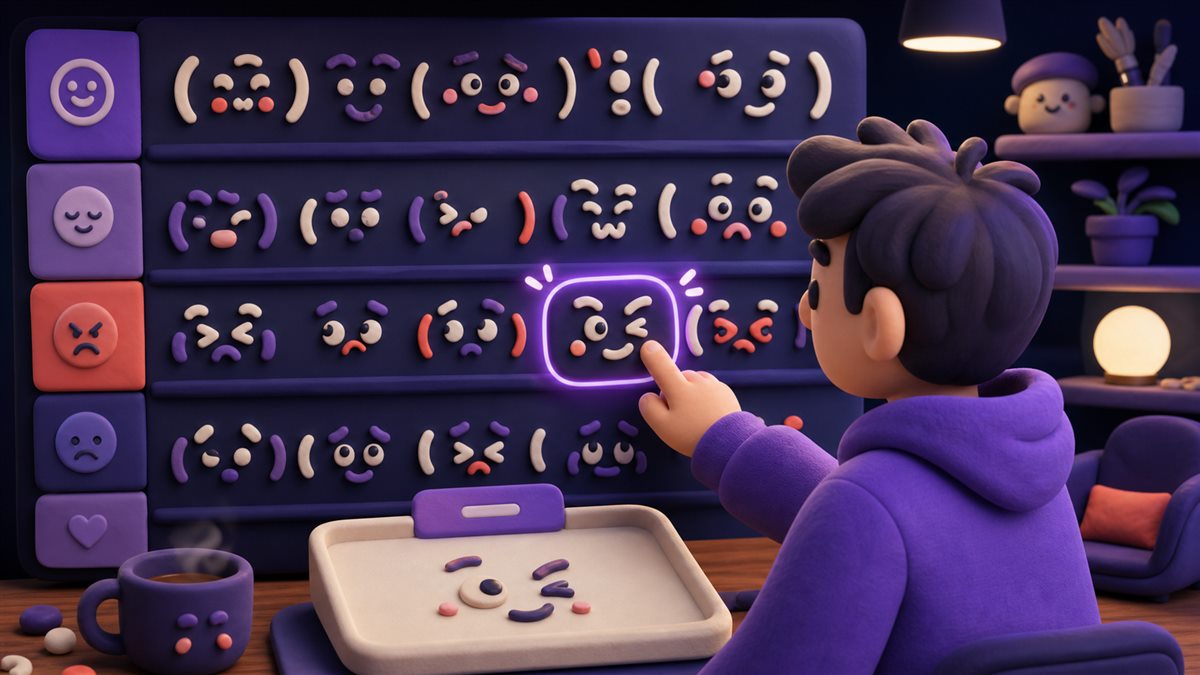
The tool works on desktop and mobile. Follow these visual steps to find and copy a text face.
Search or choose a category
Type a mood such as cute, sad, angry, bear, dance, or shrug—or tap a category filter.
Select a Lenny face
Tap the face itself to copy it. Select the star when you want to keep an expression in Favorites.
Paste it anywhere
Use your device's normal paste command in a message, comment, caption, username, document, or profile.
Can You Type a Lenny Face on a Keyboard?
You can paste one instantly, but manually typing the classic face is harder because it uses characters from several Unicode writing systems. The easiest method is to copy ( ͡° ͜ʖ ͡°) and edit its eyes, mouth, arms, or accessories.
How to Make a Lenny Face
- Start with parentheses.They form the outline of the face: ( ).
- Add eyes and eyebrows.Use ͡° on both sides for the familiar raised expression.
- Place the nose and mouth.The ͜ʖ characters create the classic center of the face.
- Personalize the result.Add arms, glasses, hearts, tears, or another symbol to change its mood.
Where to Use Lenny Faces
Paste text faces wherever the app or website accepts Unicode text and its rules allow decorative characters.
Lenny Faces for Memes
Add a knowing reaction to punchlines, gaming jokes, image captions, forum replies, and playful conversations.
How to Use Lenny Faces on Social Media
Copy a face into posts, replies, comments, direct messages, and captions on Instagram, TikTok, Discord, Facebook, X, Reddit, WhatsApp, and similar platforms.
Make an Expressive Instagram Bio
Pair one compact face with a short description or decorative text. Preview the full bio before saving because character limits still apply.
Gaming and Community Chats
Use reactions in Discord servers, game chat, livestream comments, or community forums, while respecting each space's moderation rules.
Compatibility
Lenny faces are Unicode text, so most modern browsers, phones, computers, messaging apps, and social networks can display them. Their spacing and appearance may vary with the device, app, and installed font. If a character appears as an empty square, choose a simpler face or update the receiving device's software.
Frequently Asked Questions
Common questions about Lenny face meaning, copying, keyboard entry, cost, and compatibility.
What is a Lenny face?
It is a text emoticon made from Unicode symbols. The classic ( ͡° ͜ʖ ͡°) usually communicates playfulness, teasing, sarcasm, or a knowing joke.
How do I copy and paste a Lenny face?
Search or select a category, click the face you want, and paste it into the destination using your device's normal paste action.
How do I make a Lenny face?
The fastest method is to copy the classic face and customize it. Manual entry is possible, but many of its Unicode characters are not available directly on standard keyboards.
Can I use Lenny faces on Instagram, Discord, and TikTok?
Usually yes. They work in most fields that accept Unicode text, including messages, comments, captions, and many bios. Individual apps may restrict usernames or character length.
Why does a Lenny face look different on another device?
Devices and apps can use different fonts, character widths, and fallback symbols. The copied Unicode remains the same, but spacing and glyph style can change.
Is this Lenny face website free?
Yes. Browsing, searching, favoriting, copying, and pasting the collection is free and requires no login.
What is the best Lenny face for a meme?
The classic ( ͡° ͜ʖ ͡°) is widely understood, while sunglasses, table-flip, angry, crying, and dancing variants can make a specific punchline clearer.